Julie Blanc
Falling in love with (print) CSS
</>
The web you want, 10th June, 2026
Graphic design
Code
Research
Je fais du design graphique, du code et de la recherche. Je préfère dire "je fais" que "je suis". Et dans cet ordre là, car c’est dans ce sens là que pourrait se résumer mon parcours.
Web design
Une bonne partie de mon travail aujourd’hui est de faire des publications web et des sites web, je travaille beaucoup pour des projets de recherche. Je fais le design des sites et je les code
A design for the web
At a human scale
Simple code that a single person can fully understand
Open and accessible
Readable on any platform, resistant to obsolescence, decentralized
Sincere and honest
Working with the very material of the web: HTML/CSS, hypertext, fluidity, etc.
Lightweight and sustainable
Taking into account the resources available to us
Je défends un certain design du web. Une manière de le concevoir.
Je ne me concentre pas sur la conception de grands systèmes, la création d'outils automatisés
ou la performance et la vitesse, souvent considérées comme les principaux
avantages du code. Au contraire, j'aborde le code du point de vue d'une designer, en l'adaptant
spécifiquement aux besoins de chaque projet. Chaque contenu mérite sa propre forme unique,
Designing with sobriety,
For example:
No fonts / no images / no javascript
No fonts / no images / no javascript
Web as a publishing technology
Je préfère me concenter sur tout ce qui touche au code avec le web. Et particulièrement vous présenter en quoi le web est une des plus puissante technologie d’édition.
1. The Web as a publishing technology
1991
.
1. The Web as a publishing technology
“The WorldWideWeb (W3) is a wide-area hypermedia information retrieval initiative aiming to
give universal access to a large universe of documents”
Tim Berners-Lee
Il écrit: Le WorldWideWeb (W3) est une initiative de recherche d'informations hypermédia à grande échelle visant à
donner un accès universel à un vaste univers de documents.
1. The Web as a publishing technology
“The [WWW] project is based on the philosophy that much academic information should be freely
available to anyone”
Tim Berners-Lee
l tente de créer un réseau de documents connectés, en particulier des articles scientifiques, qu'il souhaite
mettre gratuitement à la disposition des scientifiques du monde entier.
But, if you read the very first proposal of CSS, there is also something very remarkable that appears.
Web as a publishing technology
Current browsers consider the computer screen to be the primary presentation target, but [CSS] has the potential of supporting many output media, e.g. paper , speech and braille.
Here: "Current browsers consider the computer screen to be the primary presentation target, but [CSS] has the potential of supporting many output media, **paper**, speech and braille."
Web as a publishing technology
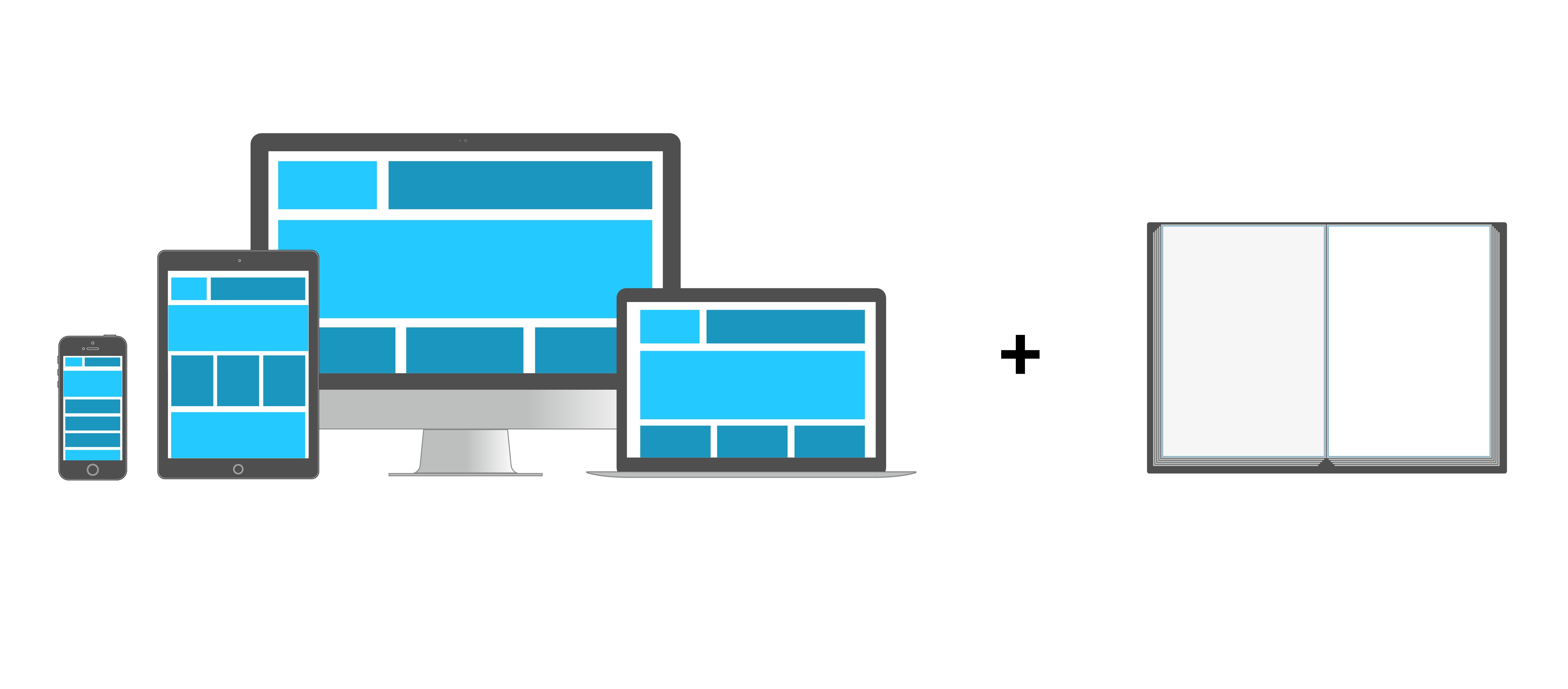
Responsive design = screen + print + ...
@media print{...}
Since the beginning of the web, there is a media queries that allows to target the paper outputs, or should I say, the paper displays of a web document. This is the @media print query
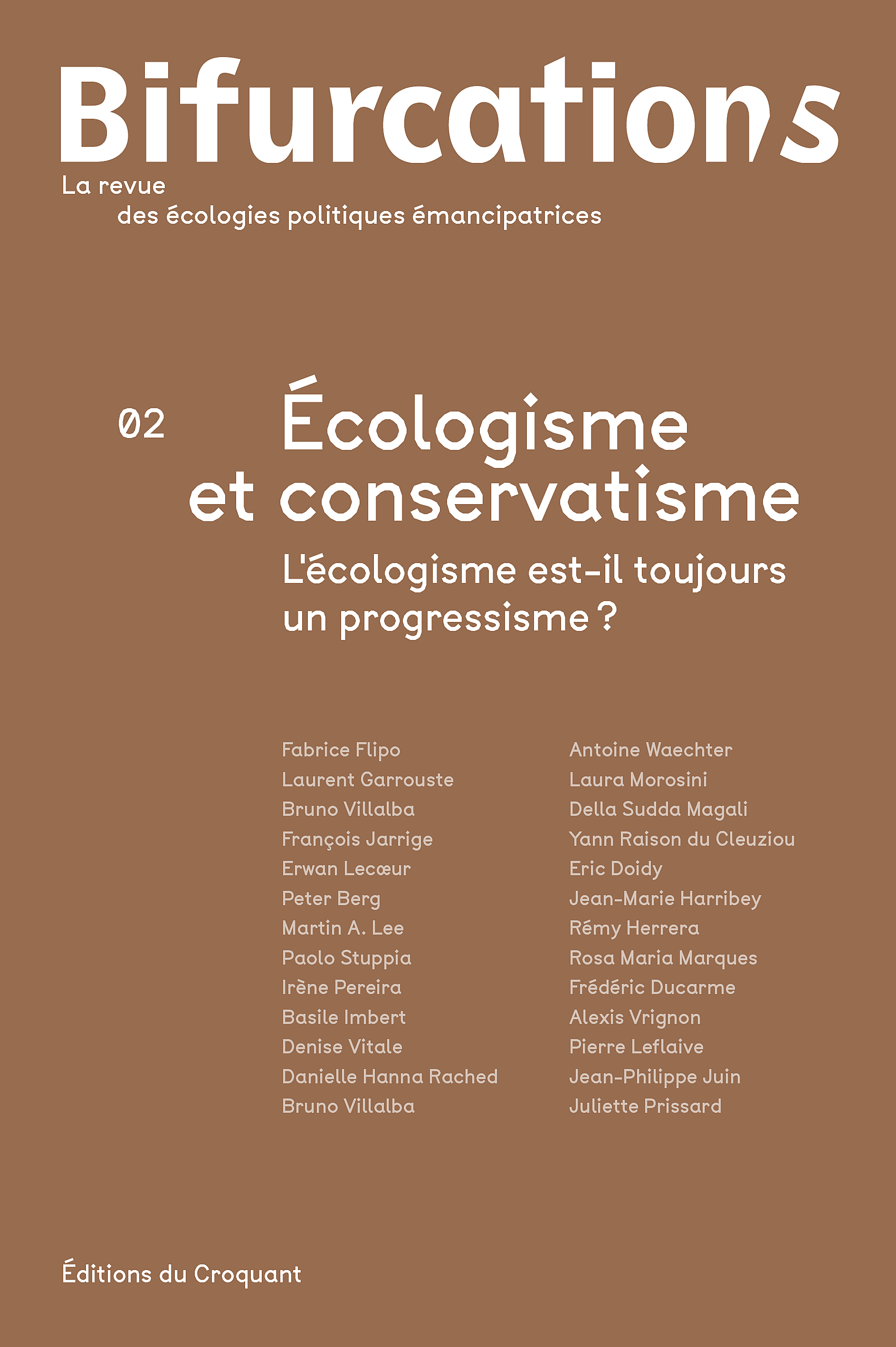
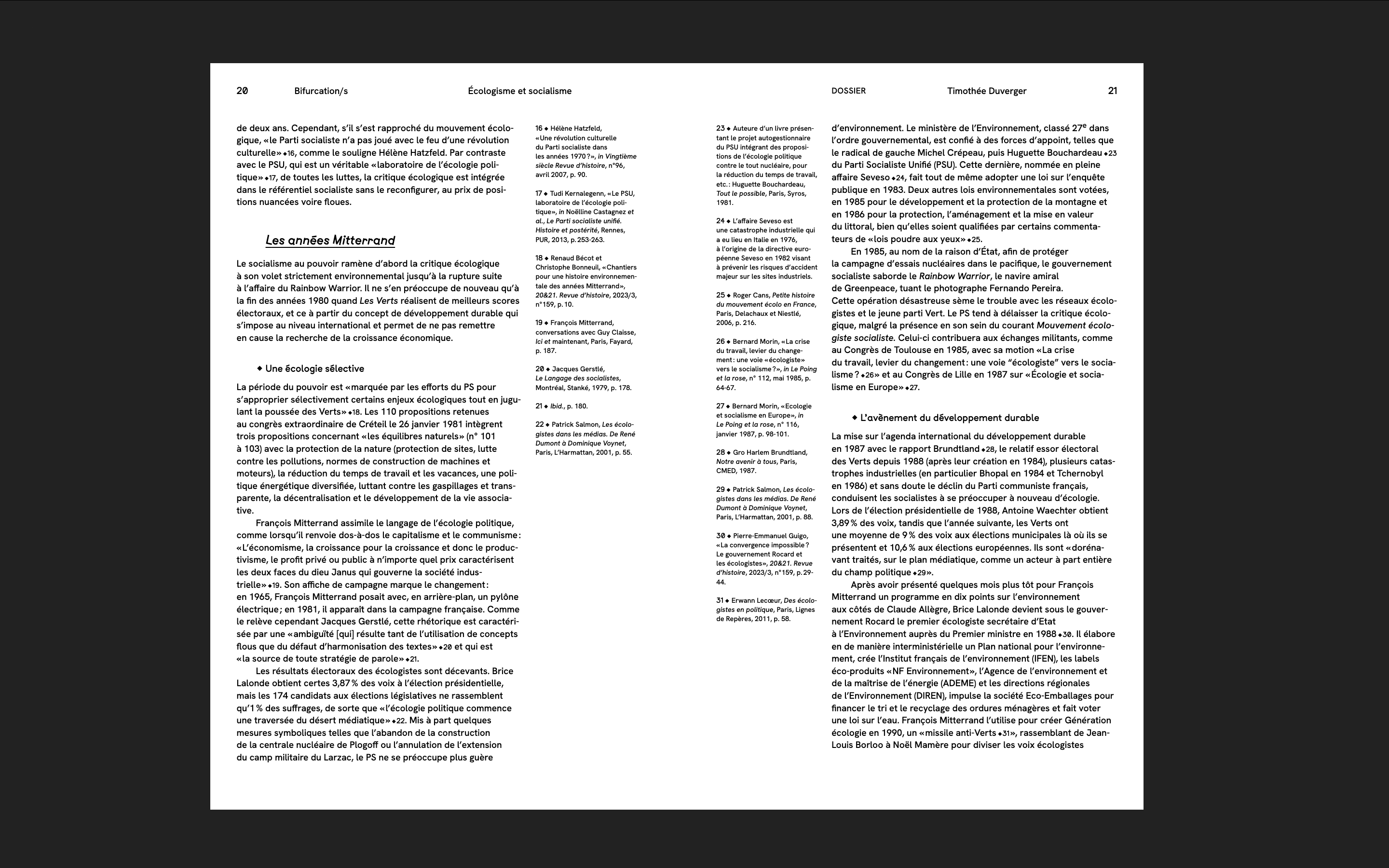
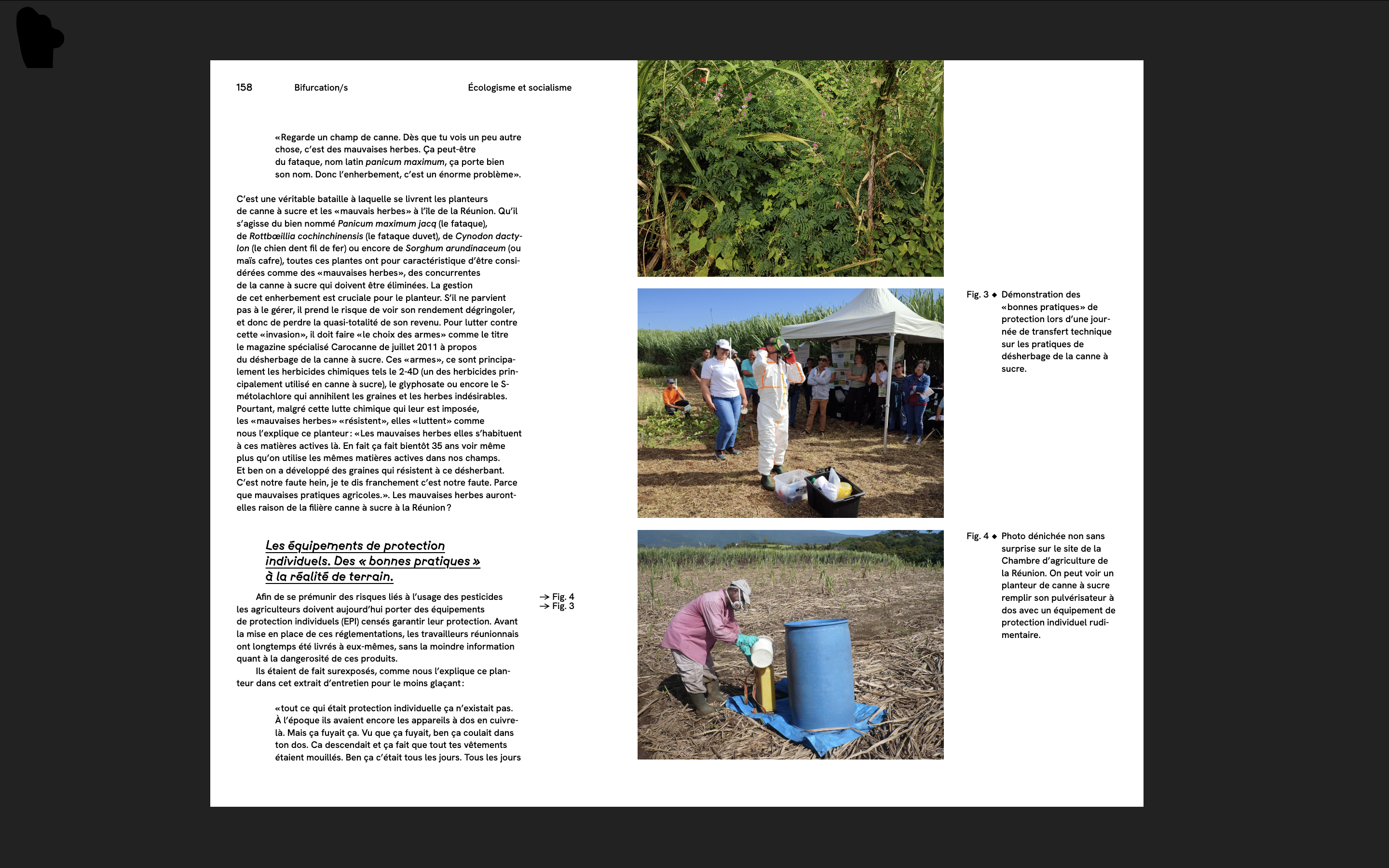
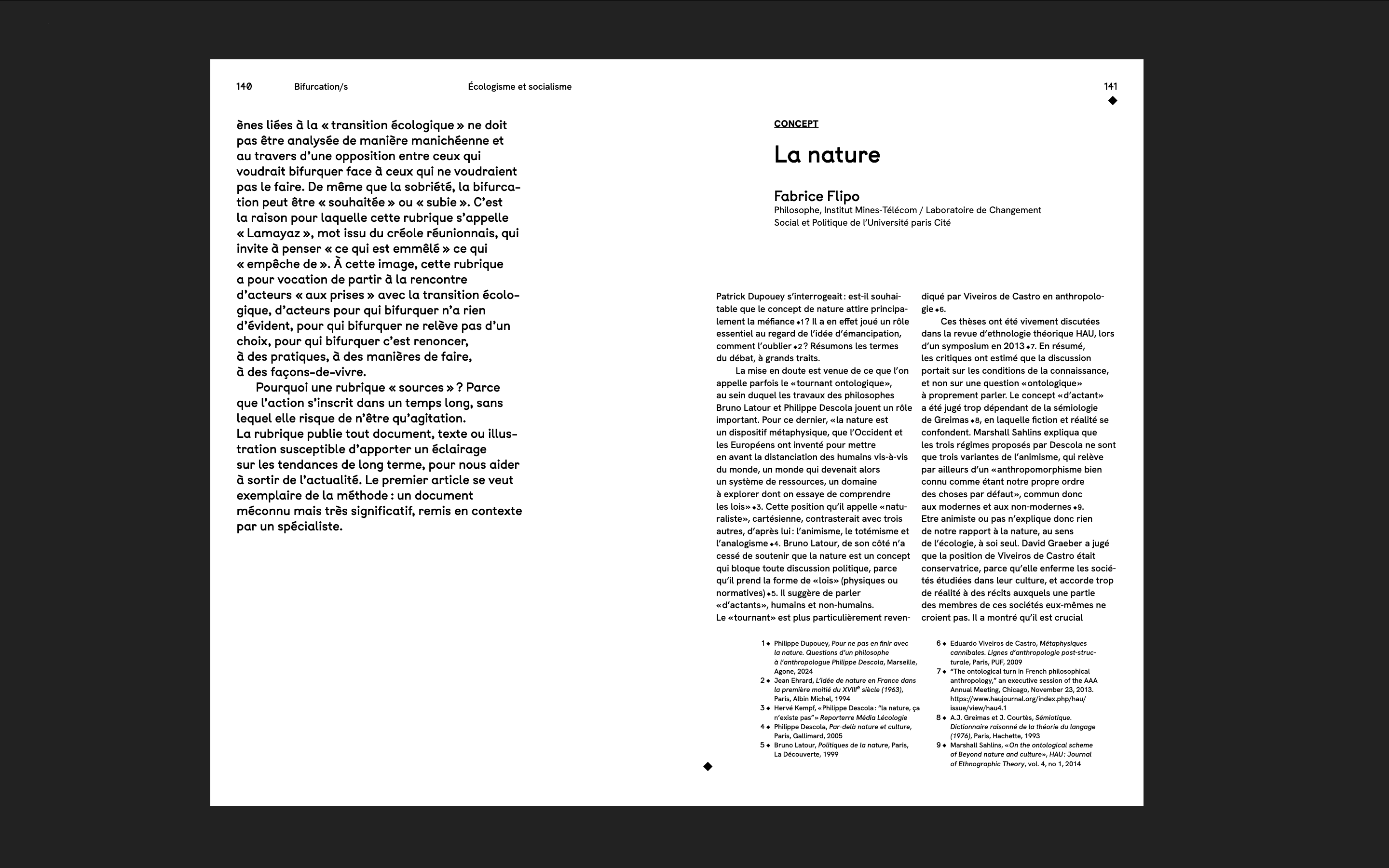
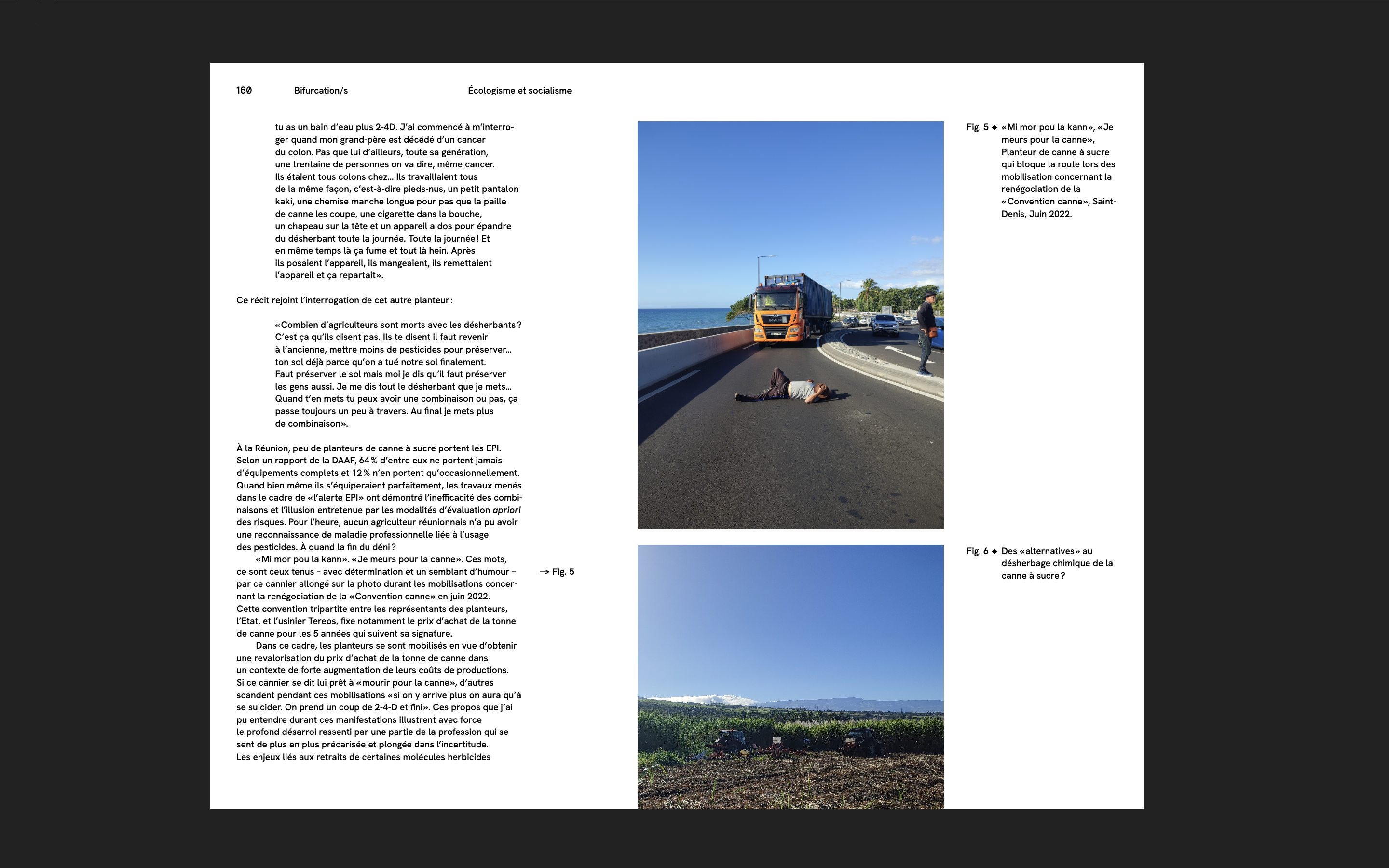
Bifurcation/s
Journal of emancipatory political ecologies
3 numéros
I also create a custom web tool for the cover
What does web-to-print offer
(Which is not relevant for desktop publishing software)
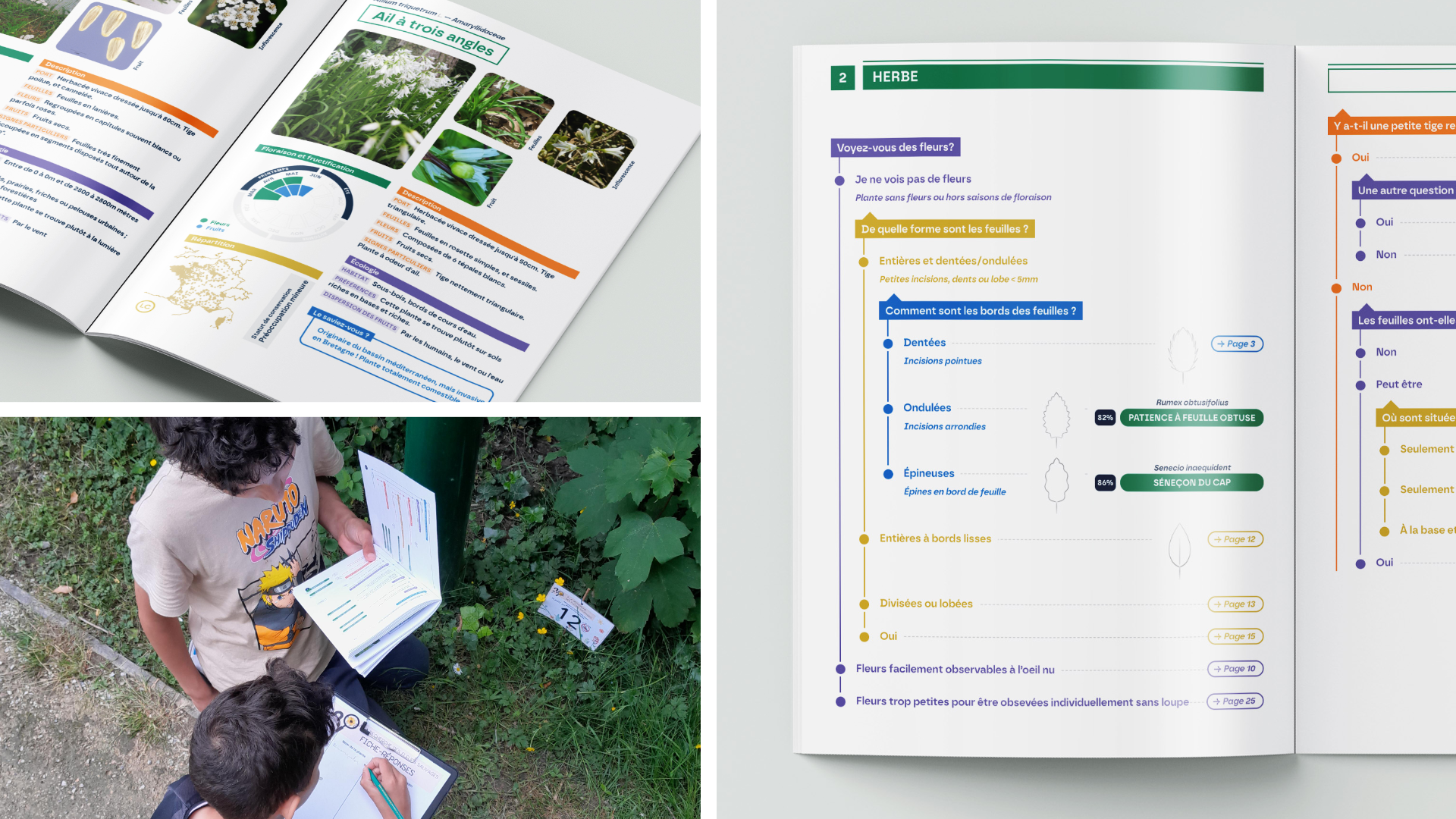
Botascopia
A collaborative research project
(INRIA, Université de Lyon 1
Université Paris-Saclay
Université de Rennes)
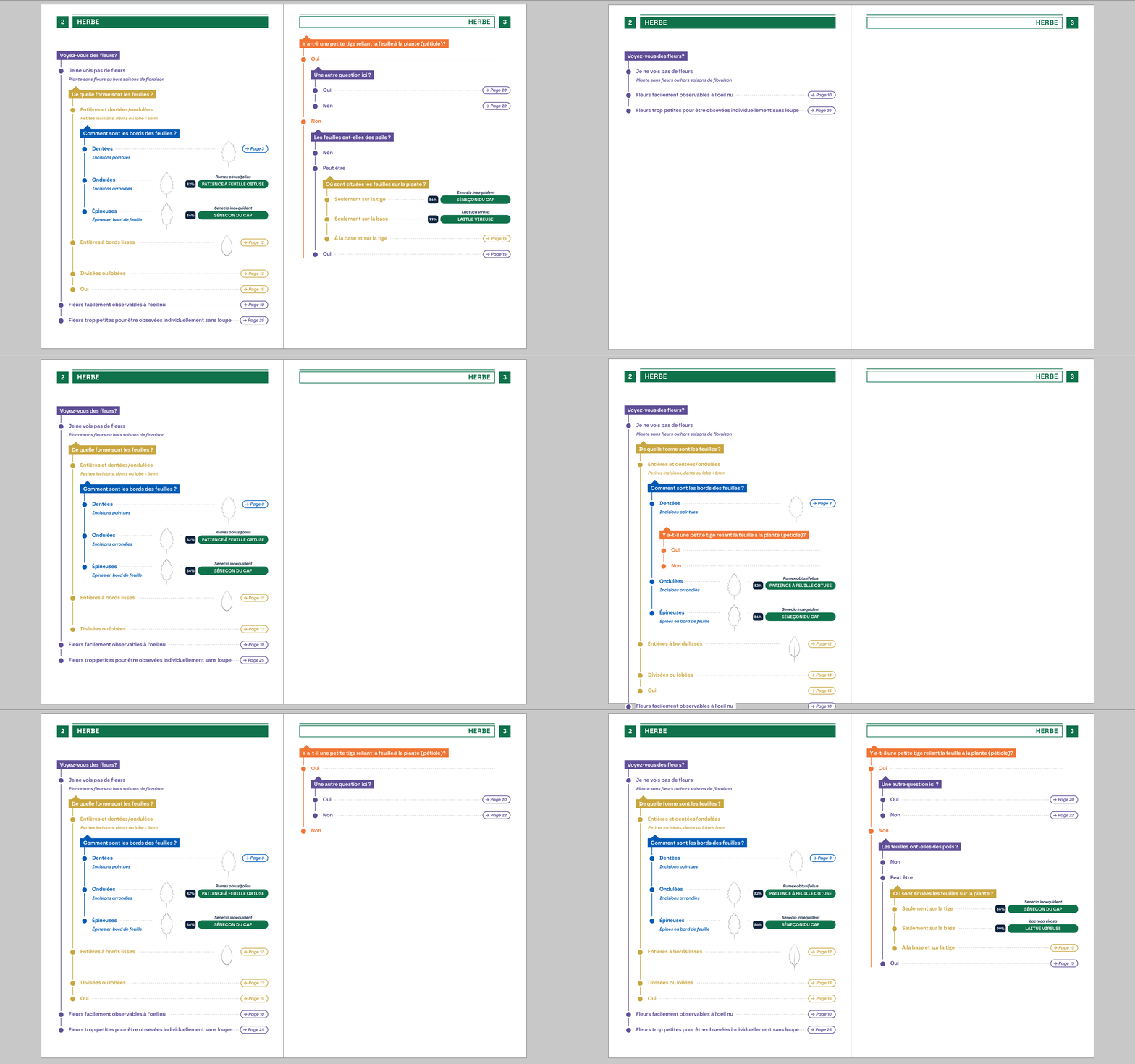
Plant identification guide
Database (OCaml language), 400 contributors, public workshops
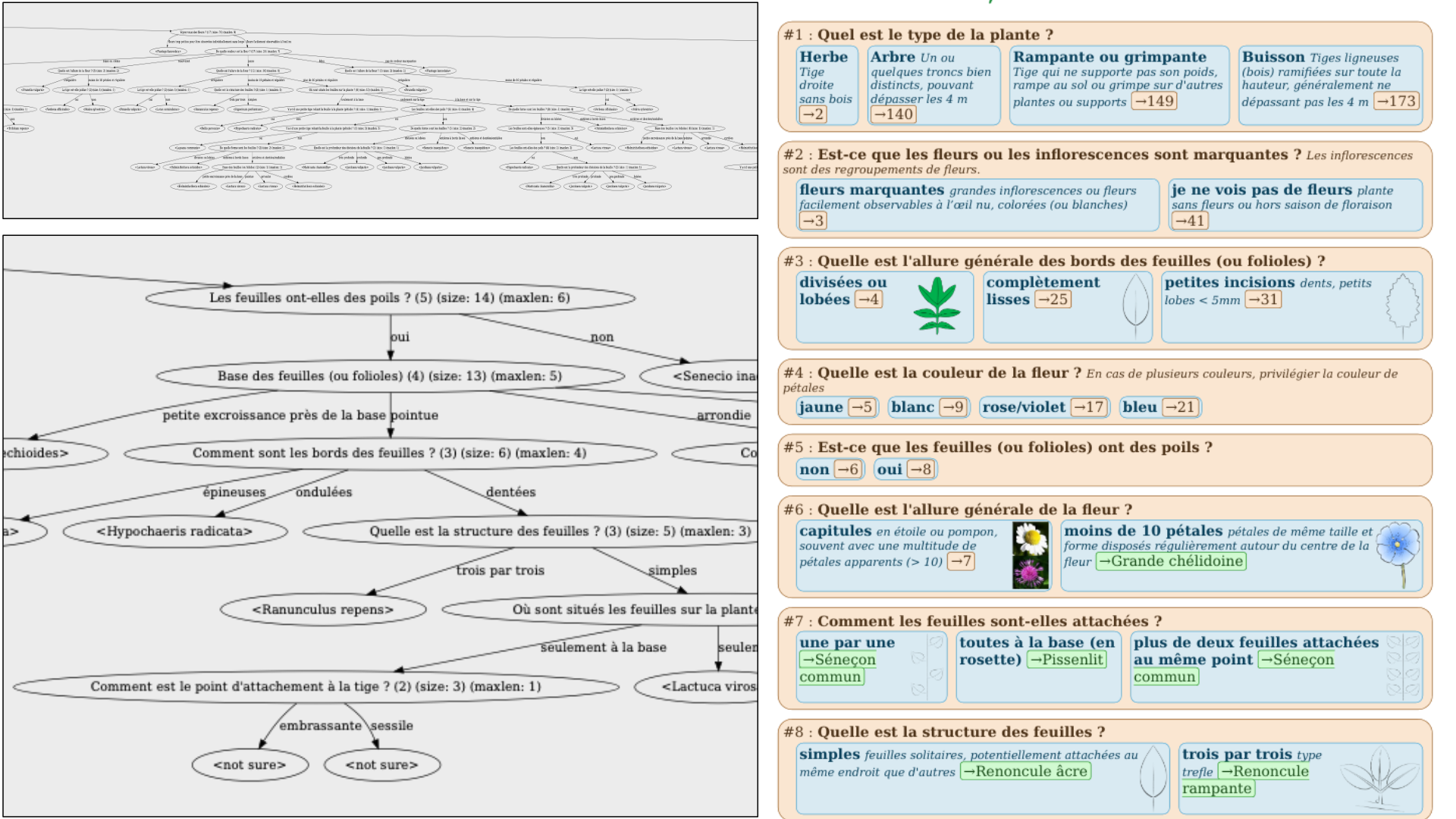
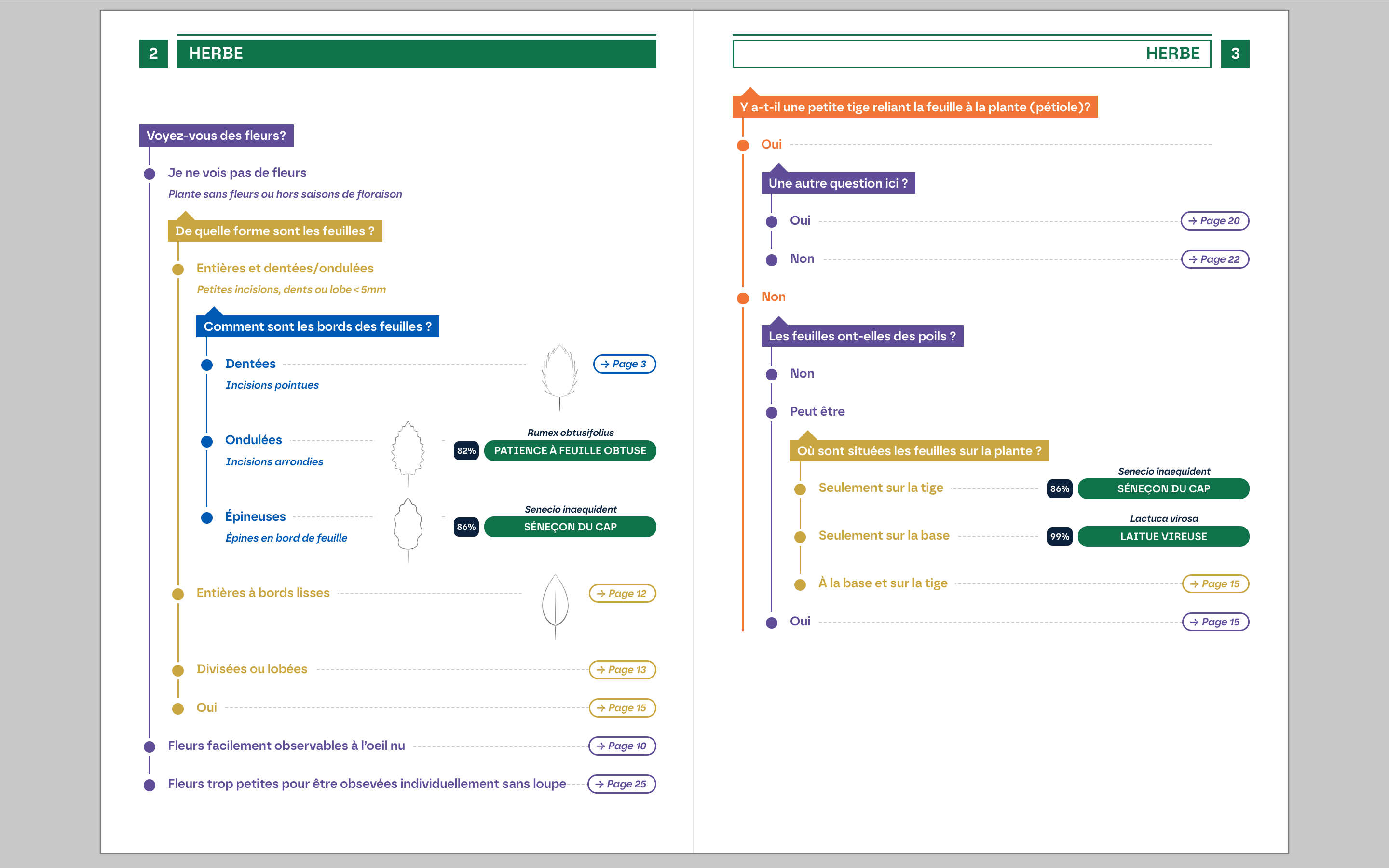
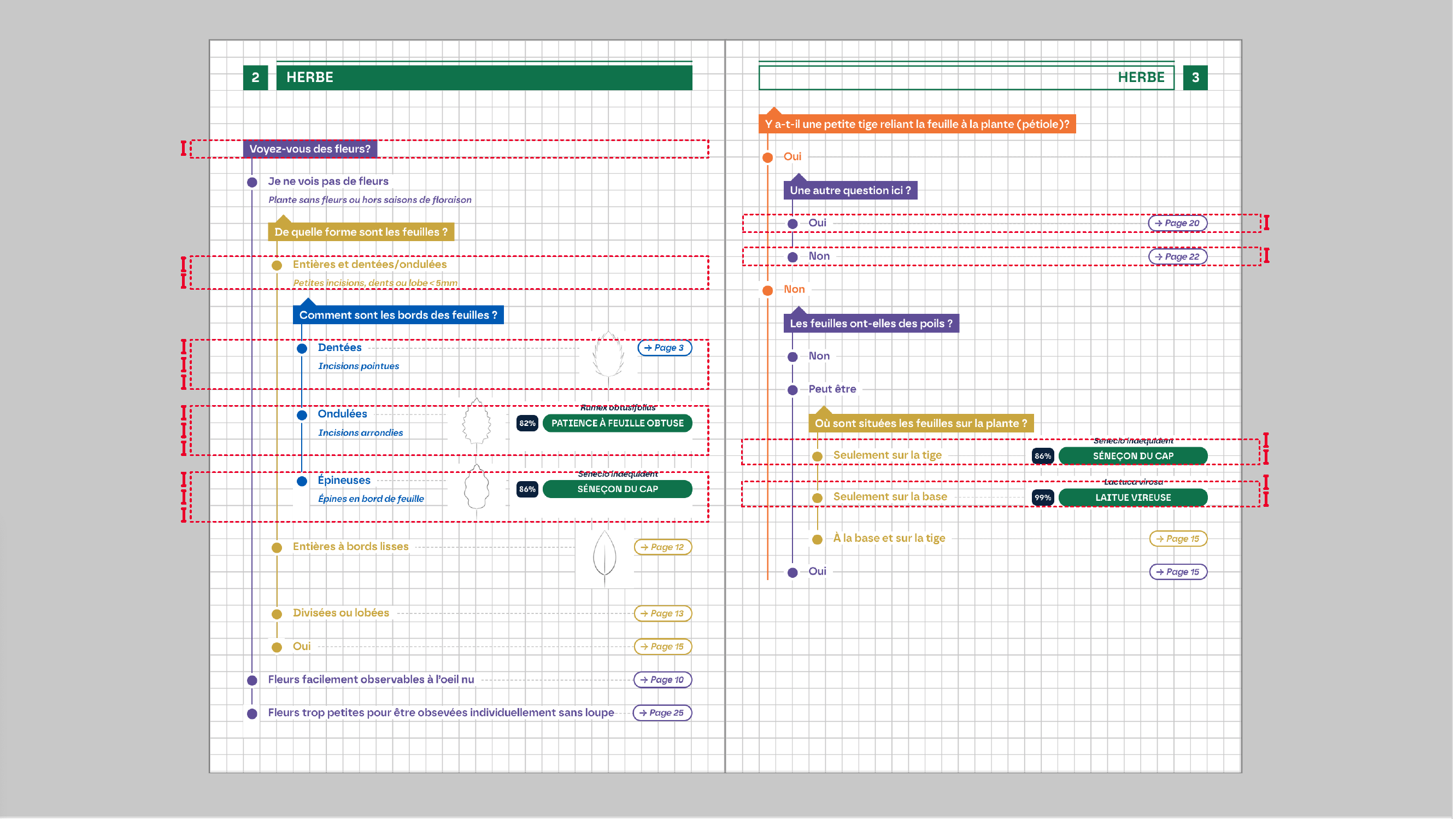
Identification key
A tree of questions/answers automatically generated from a collection
Identification key (graphic principle)
Identification key (graphic principle)
Identification key (graphic principle)
Multisupport Publishing
Single source publishing
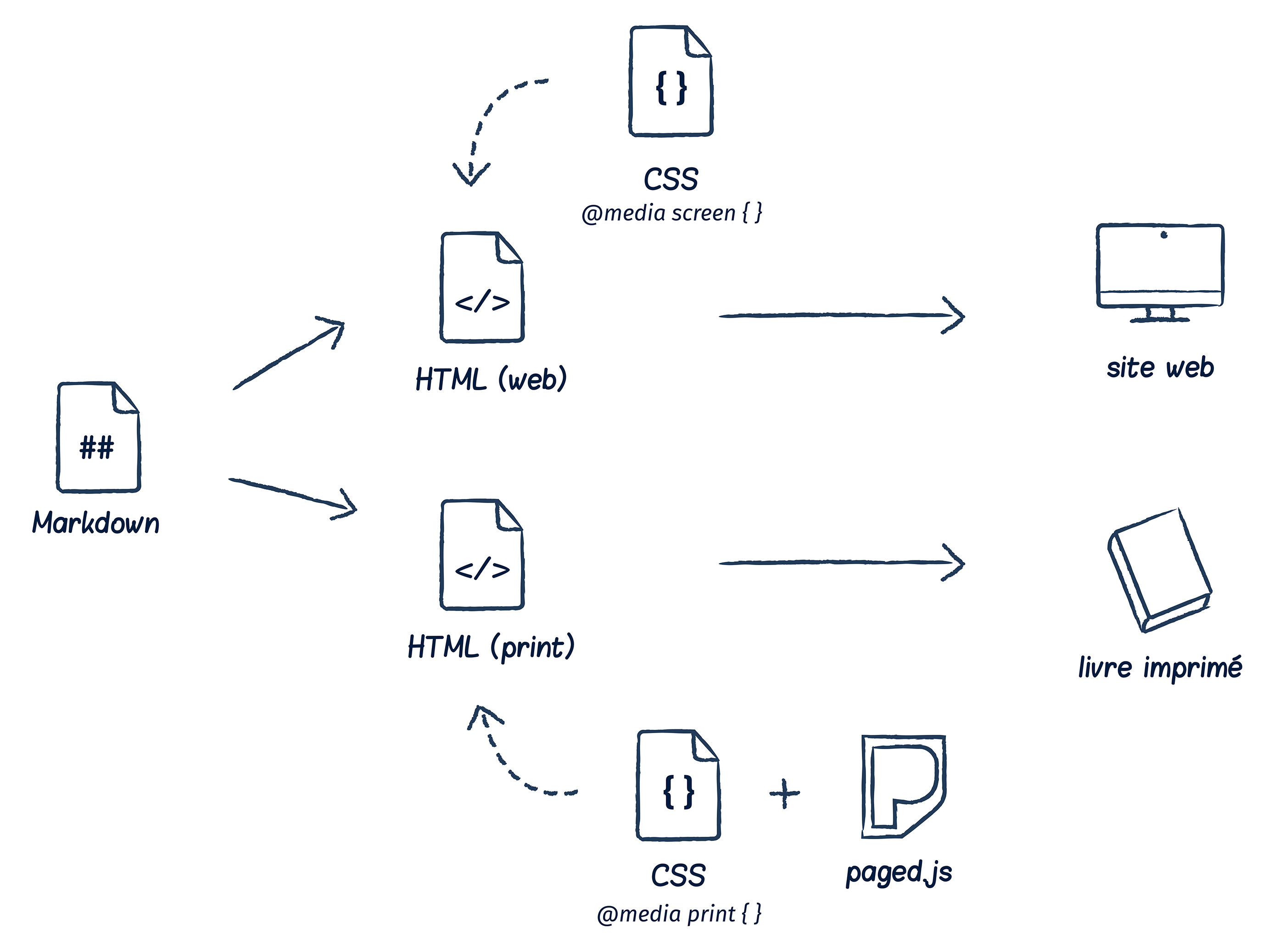
To do this, you need to understand the principle of single-source publishing. you have a single
source of content, which can be in different formats, but most of the time, we use markdown, which
is very simple to write and can be learned in less than an hour. From there, we use programmed
scripts that transfrom the content to adapt it to the needs of each medium.
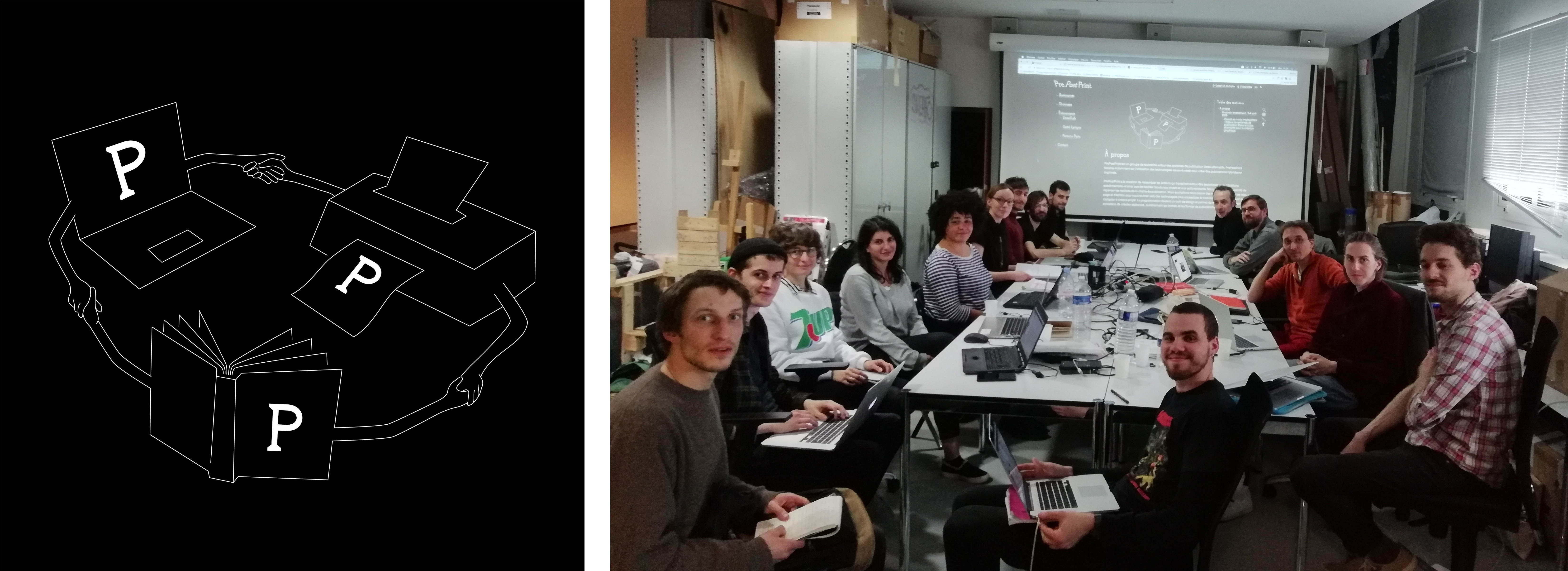
PrePostPrint
PrePostPrint highlights experimental publications made with free software.
prepostprint.org
Gradually, there are more and more graphic designers who have started to work with alternative
processes. And this is how, in two thousand and seventeen, SArah Garcin and Raphël Bastide founded
PrePostPrint
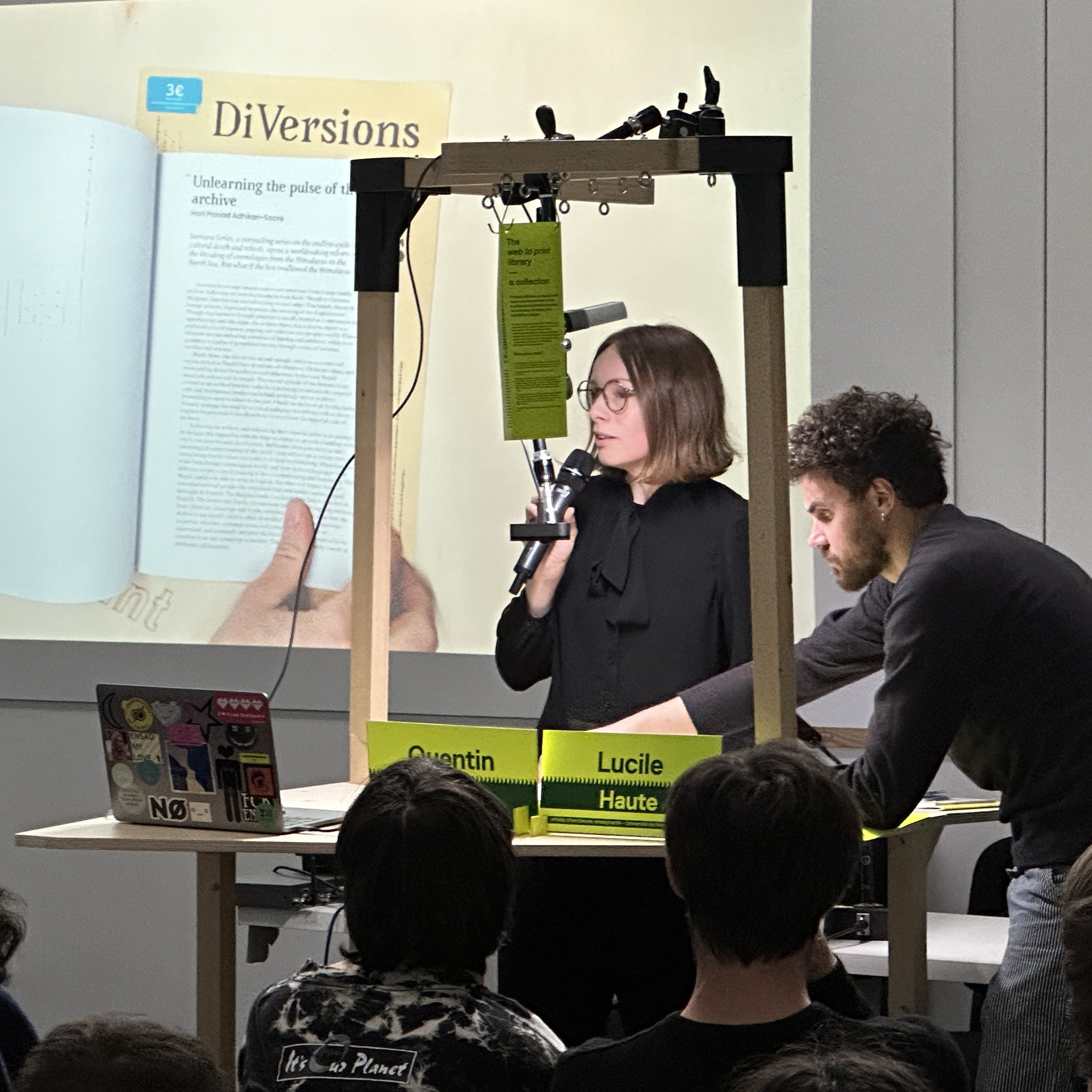
Web to print library
coordinated by Lucile Haute, with Quentin Juhel and Antoine Lefebvre
http://web.2print.org
Some of these publications are hard to find. There was a need to collect material versions of the
publications, so as to be able to share them better. The web to print library was created by Lucile
Aute and Quentin Juhel. It's a mobile piece of furniture that can be transported from event to
event. There's also a website, but it's not working very well at the moment.
Using CSS for print
How to deal with the text flow between pages ?
The most important: How to deal with the text flow between pages ?
In print design, managing text flow is crucial because you have fixed page sizes and a defined layout. This differs from web design, where content can be dynamically adjusted to fit various screen sizes. To handle text flow between pages in print:
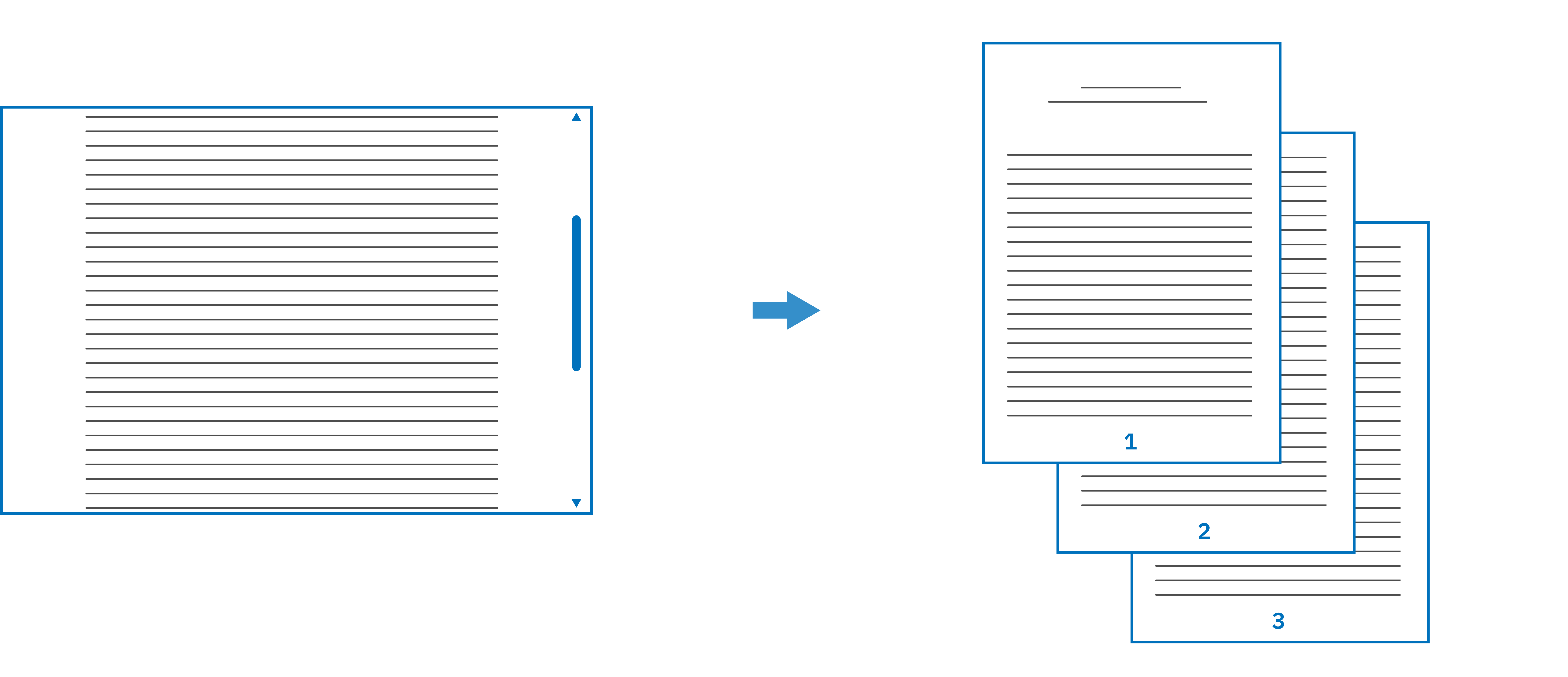
What we do mainly is this, cut a content flux into different pages, but it’s not the simple.
Using CSS for print
What about features that exist in print design but not on the web?
Running headers, page number, facing pages, page float, etc.
In web browsers, some features are missing because Web is not mainly design for the print. For example, you need to control when and where your content needs a page break. You also need many specific elements used in printed layout: margins, running headers, page numbers, position elements in relation to the page, and so on
Using CSS for print
W3C standards actually deal with printed features
W3C standards actually deal with printed feature.
Using CSS for print
The World Wide Web Consortium (W3C) is an international organization that develops open standards to ensure the long-term growth of the web. They are responsible for creating key web standards like HTML and CSS, which define how you actually write these languages. They create the blueprint, the specifications.
Using CSS for print
Then, web browser developers follow this blueprint to implement how HTML and CSS are rendered in their browsers.
Using CSS for print
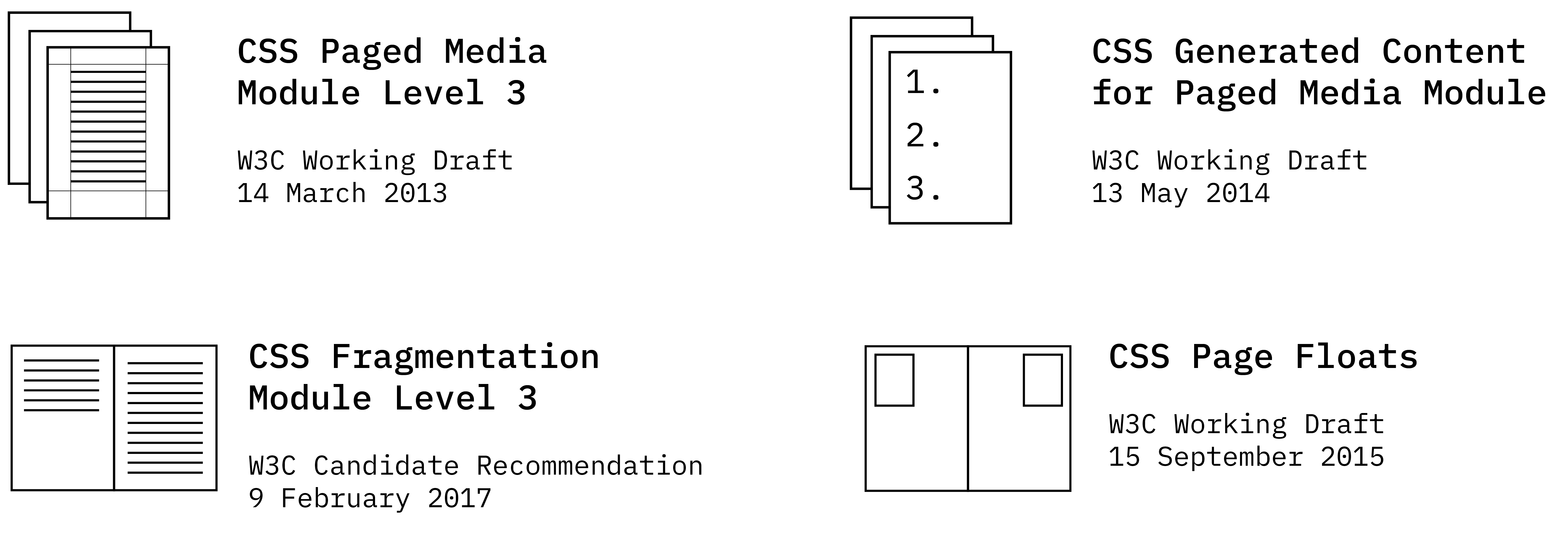
So, if you look at CSS, is designed like that by W3C, in small modules call specifications. Each module is dedicated to a specific functionality. The features are improved little by little by updating the modules after long discussions to know what is the best syntax
Using CSS for print
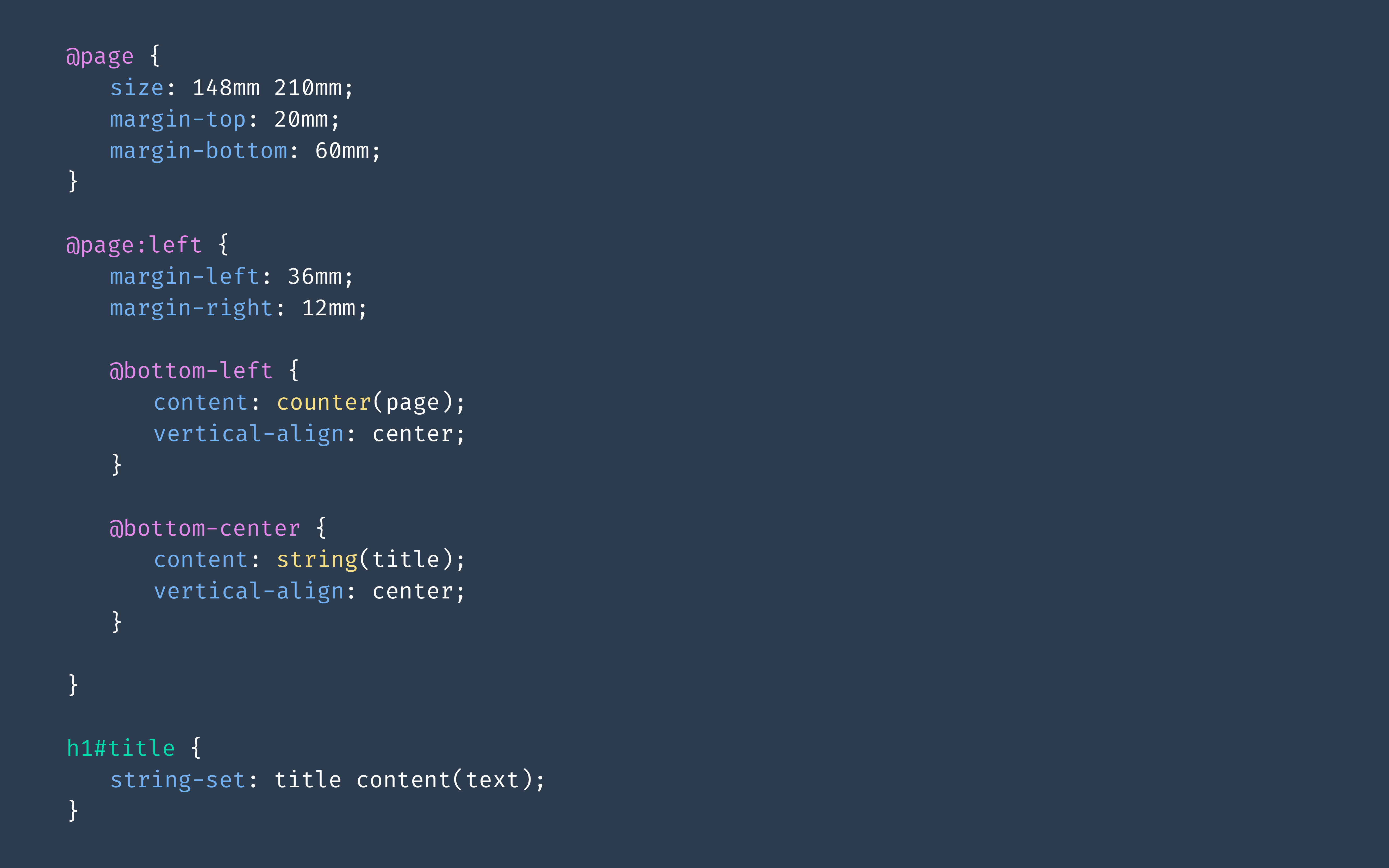
You see where I'm going with this. Here, there is module specifications called Paged Media et Generated content for paged media. And it ’s actually the CSS syntaxes we need for print. It’s red, it’s bad. browsers have not implemented these features.
Using CSS for print
In other words, the CSS you see on the screen is CSS that exists, that was written by the W3C to make printed layouts, but if you add it to your browser, nothing will happen.
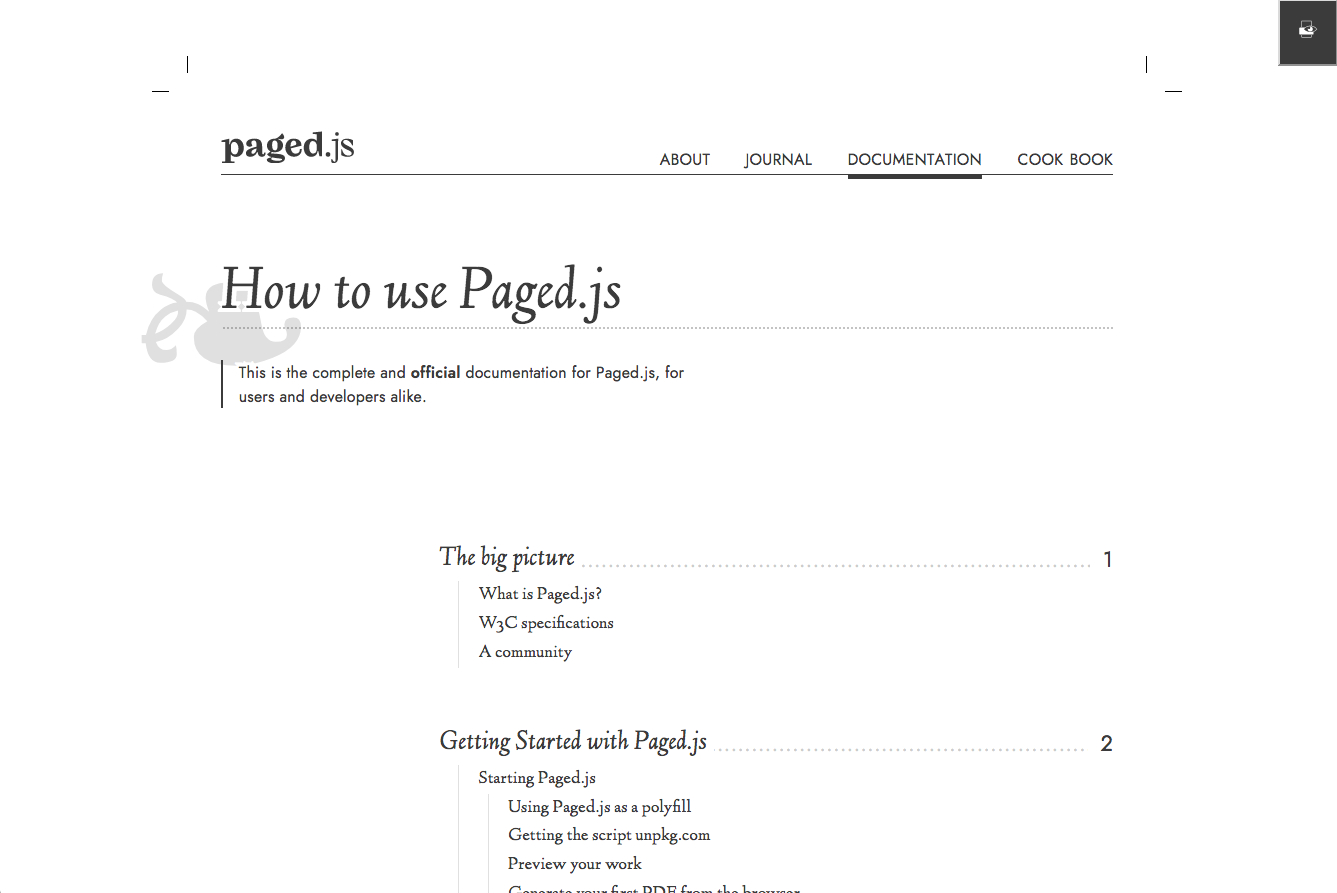
A free and open source JavaScript library that paginates content in browser
to create PDF outputs of any HTML content
pagedjs.org
It's to answer these missing functionalities that we have developed Paged.js, a javascript library to paginate content in the browser and to create PDF which will be printed books.
Paged.js
Open-source (MIT licence)
Based on web standards
Visual preview in the browser
Of course it’s open-source and based on W3C standards.
Paged.js
Paged.js creates a visual preview of your publication directly in the browser. We simply implement the missing printed CSS specifications, so you can use all the regular CSS available in browsers for design. And most importantly, you have access to development tools. Those who code in the room know just how crucial that is for debugging.
Paged.js
Basically, Paged.js is a JavaScript script that breaks your content flow into pages and converts unimplemented print CSS into CSS that the browser can understand. It does everything automatically; you simply write the CSS without worrying about the script."
Paged.js
An example
Rechtstexte & Zeitschriften journals (2023)
To show you how it works, I'll give you an example of a project I was commissioned to do not long ago. It concerns two Swiss law journals.
Paged.js
Each issue is an article and can be downloaded as a PDF in a4 format.
This is the layout I proposed. Paragraph numbers are mandatory in law journals, as is the specific numbering of headings.
Paged.js
this is the HTML of an issue. The HTML is already created by the client, a law professor who taught a little programming and created the HTML from a Word format. As a result, I can't touch the HTML structure by hand, only the CSS or change the HTML with scripts.
You can see the ol elements, which are numbered lists of paragraphs.
Paged.js
Just adding Paged.js (no CSS)
Parametric layout
One of the customer's requests was to be able to customize the layout a little, so I created a parametric layout with variables.
The idea was also to be able to produce several layout styles, so that the author could choose the one he or she preferred.
So here it's a special metadata file with variables, you can change
Experimental publishing
I've shown you some commissioned projects, but there's also a lot of experimental work being done with these technologies, particularly in art and design schools in Europe.
Experimental publishing
Mapping the Power Dynamics Behind Ctrl+P (zine)
Zine made in 3h during PrePostPrint Publishing Partyline,
Here, it's a zine about print publishing with css that we made in just 3 hours with four other graphic coders.
Experimental publishing
Using collaborative pads for the code
We used etherpad to build it.
Etherpad allows you to edit documents collaboratively in real-time, much like a live multi-player editor that runs in your browser.
Experimental publishing
The zine was a sort of mini wiki about web, code and printing. There were cross-references between concepts at the end of the pages.
Experimental publishing
Script Text dilatation by Raphaël Bastide
So when you use CSS for print, Script and programmation become also easier because you are directly in a code environment. with a little javascript, it's possible to invent interactions with the content that will be reflected in the book once it's printed. Here's an example of interactionmade by Raphael Bastide during a workshop
Experimental publishing
Hybridizing media
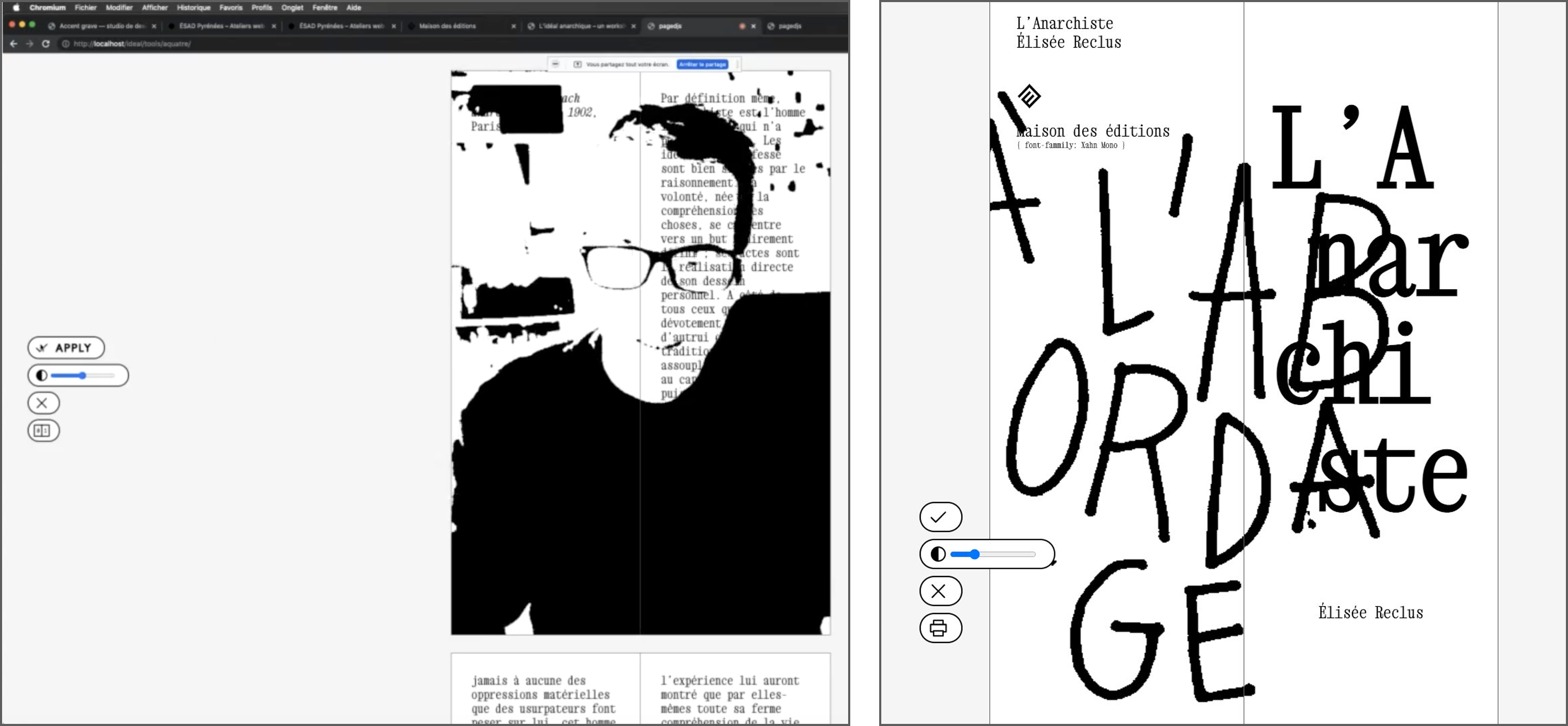
Using the camera to integrate background in images (Julien Bidoret)
Workshop L'idéal anarchique , maisons des éditions, 13-18 novembre 2021
It's also possible to hybridize media. Here, Julien Bidoret has created an installation in which the page's background is linked to the computer's camera.
Photographs can be taken and placed directly on the page. On the left is a photo of his camera with a filter. So, during his workshop, they used a camera to film handwritten typography that was added to the page, as you can see on the right.
Experimental publishing
This was used during an online drag queen performance at a publishing festival during covid. There was a code that took a screenshot. The performer could press a button to take a screenshot whenever she wanted, and the image would automatically be placed in the booklet.
Designing new CSS specifications
Build your own tools
Designing new CSS specifications
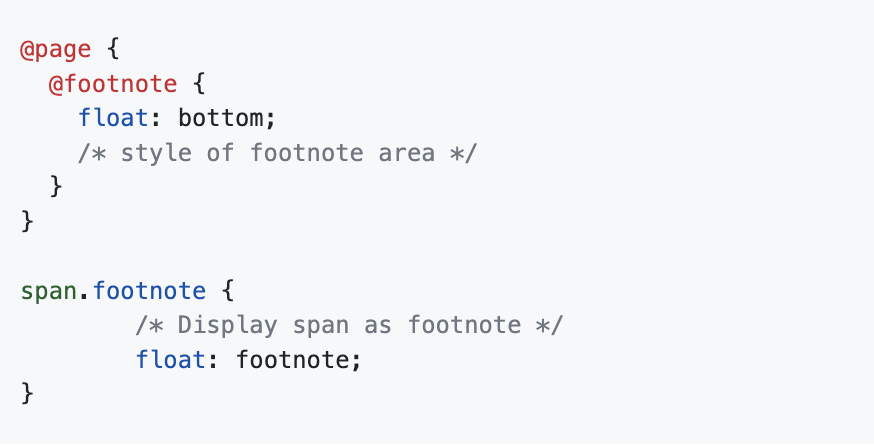
Only footnotes are possible in CSS (W3C specifications)
Build your own tools
Designing new CSS specifications
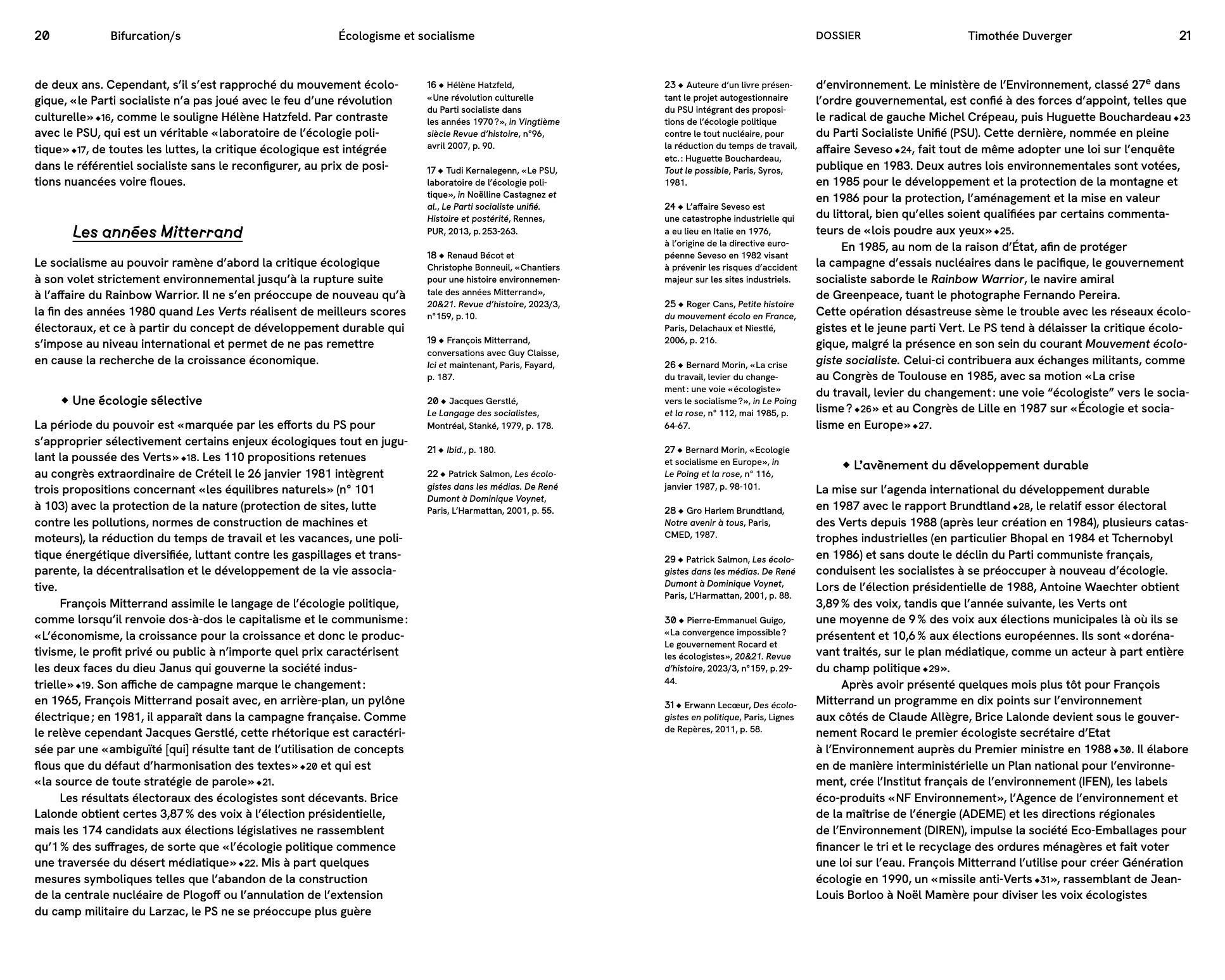
Journal Bifurcation/s , coming soon (2024) / Graphic design: Julie Blanc
Build your own tools
Designing new CSS specifications
Mourat & all, Le champs des possibles , 369 éditions, 2023 / Graphic design: Sarah Garcin
Build your own tools
Designing new CSS specifications
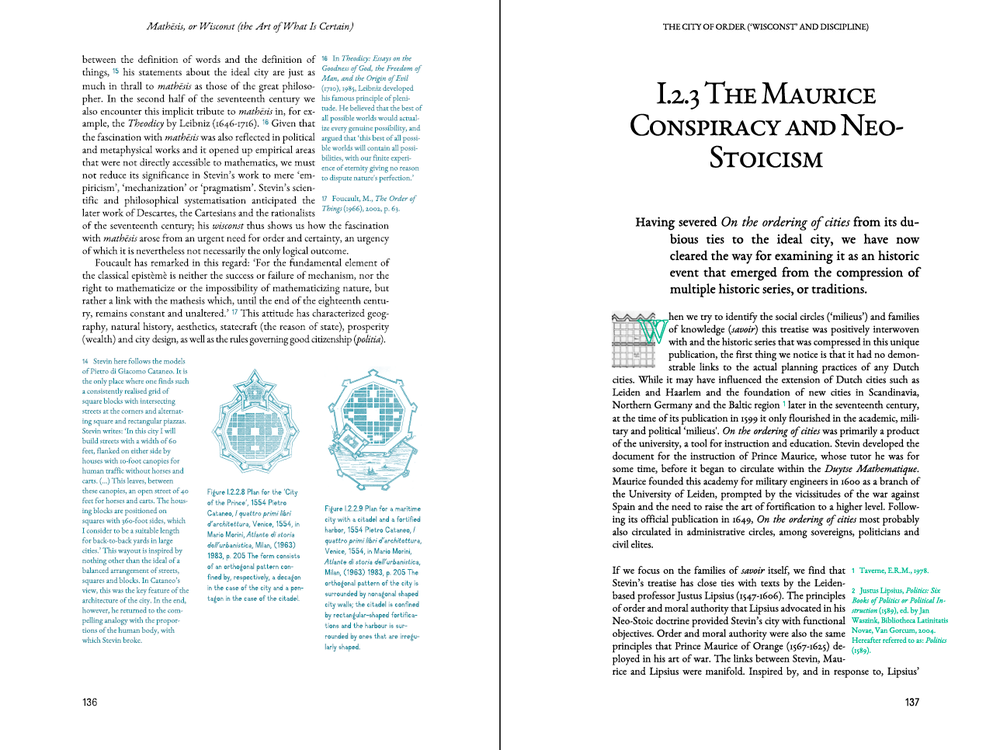
Wim Nijenhuis, The Riddle of the Real city , 2017 / Graphic design: Open Source Publishing
Build your own tools
Designing new CSS specifications
Working on new specifications for CSS notes
Build your own tools
Designing new CSS specifications
Build your own tools
Designing new CSS specifications
[Paged.js × WeasyPrint]
Notes in CSS
Page spread in CSS print
Merci
julie-blanc.fr / studio-variable.com
julieblancfr
contact@julie-blanc.fr
Made with HTML & CSSslides.julie.blanc.fr
my slides are online but some images may be missing, they'll be ready tomorrow.